
The visual feedback tool for Claude Code and Cursor.
Layerdock is a visual website feedback tool with an MCP server. Clients pin comments on your live site from a link, and Claude Code, Cursor or any MCP client reads each pin with its page, selector, screenshot and console trace, fixes it in your code, then replies and resolves the pin.
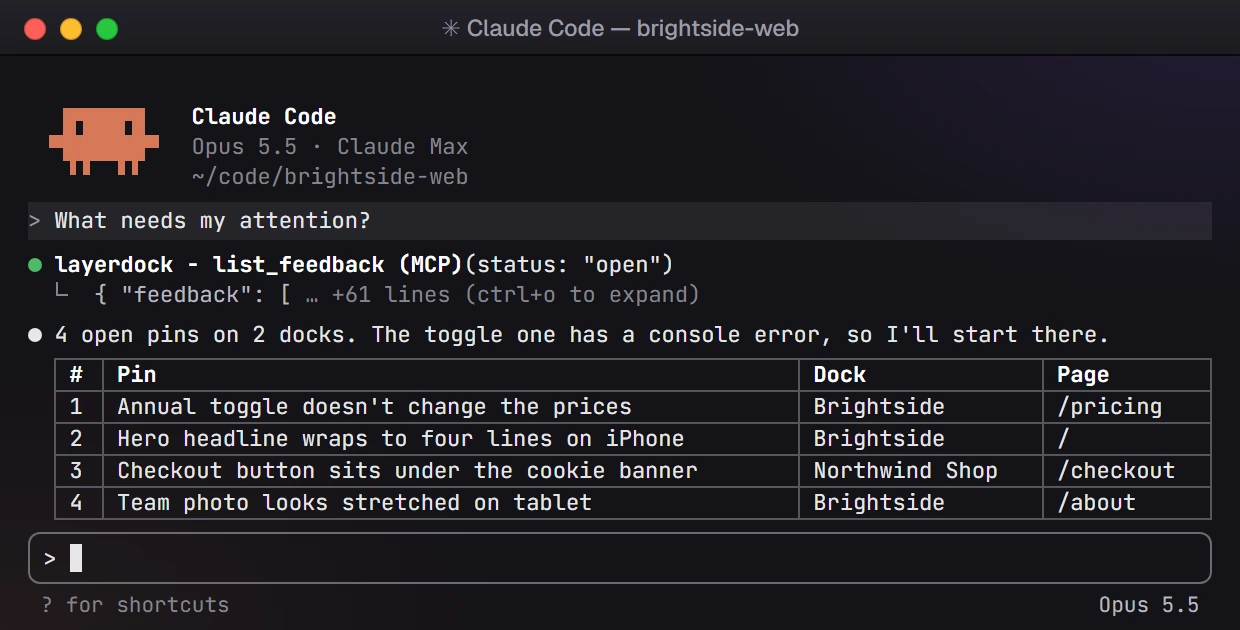
Ask what needs attention.
Your coding agent calls list_feedback and sees the open pins across every dock it can reach, each with its page and the person who left it. One question, and it knows where to start.
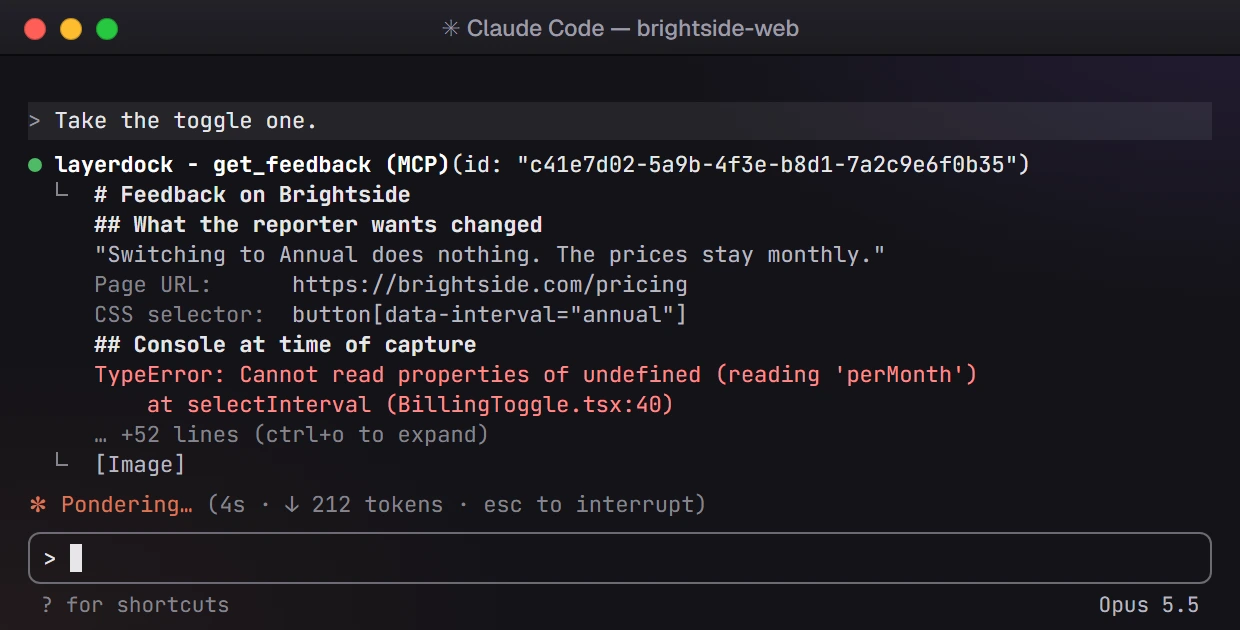
Hand the agent the whole brief.
get_feedback turns one pin into a fix brief: the reporter's words, the page URL, the CSS selector, a search string that matches your source, the screenshot when there is one, and the console and network trace from the moment of the pin.
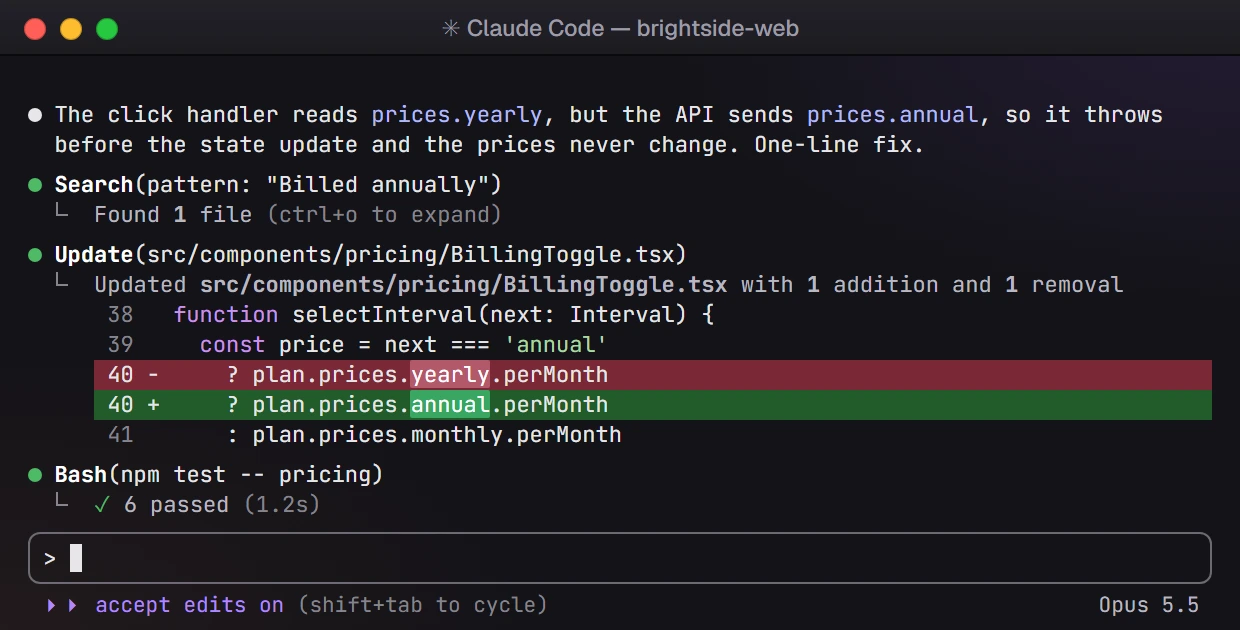
Fix it in your own codebase.
The agent works in your repository with your tools. It searches for the element, makes the change and runs your tests, starting from the evidence instead of a sentence copied out of a ticket. Your team reviews the change before it ships.
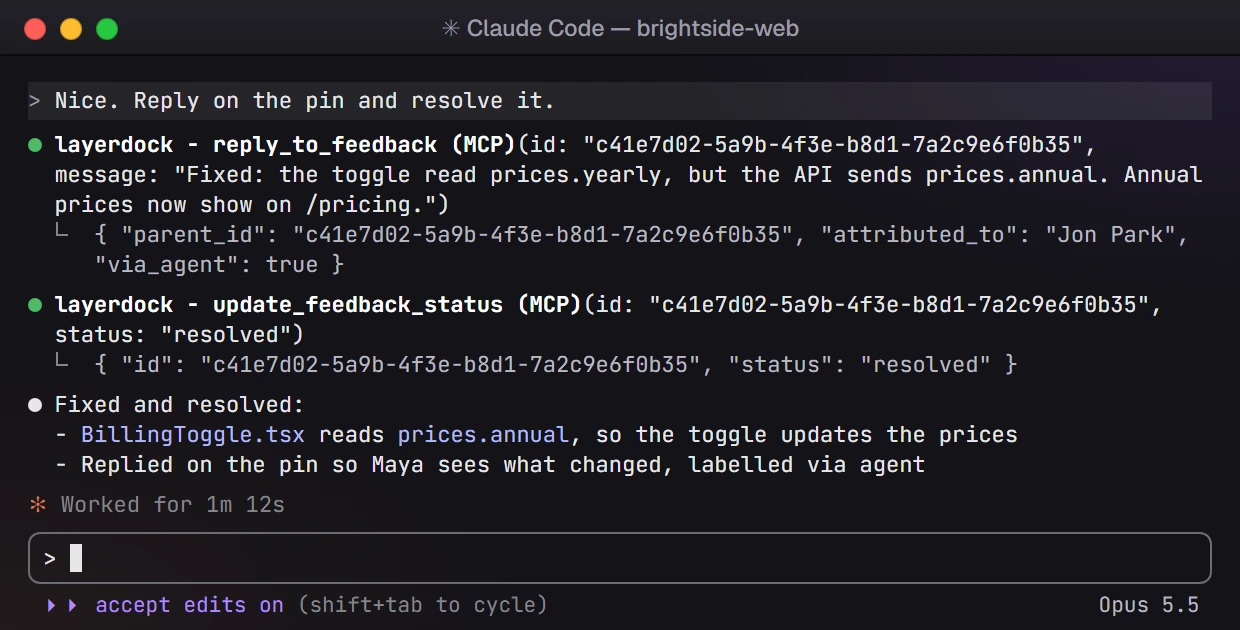
Close the loop on the pin.
When the fix is in, the agent replies on the pin's thread and moves it to resolved. The reply is labelled as coming via an agent, so the reviewer sees what changed and can tell it apart from a teammate's own word.
Make the next
website review easier.
Give your team and clients one clear place to see the issue, capture the context, and share the fix.
Frequently asked questions
What to know about LayerDock, privacy, and getting started.
What is MCP?
The Model Context Protocol, an open standard that lets an AI coding agent call outside tools. LayerDock ships an MCP server that works with Claude Code, Cursor, Codex CLI, Windsurf, VS Code and Zed.
What context can LayerDock pass to an agent?
Each pin’s comment, element selector, screenshot and page URL, plus the console and network trace and the element’s exact design specs from Inspect: spacing on every side, corner radius, font size, weight and line height, colours and shadow. That full context comes with MCP on Pro and Agency. The agent can also reply on the thread and resolve the pin when the fix is in.
Does LayerDock write or approve the code?
No. Your coding agent writes the change and your team reviews and approves it. LayerDock supplies the context and records the reply.